NEW - ISO 27001 Certification and ONNX and Triton Blueprints for Accelerated Inference
Share insights, seek advice, or simply connect with fellow members on topics that matter to you.
Recently active
AI Studio Release: v1.58.2 Released Lots of updates, fixes, and performance improvements to check out. Update or Download to TrySome items you will see:4 updated blueprints now ready to create ONNX files and host on Triton Model Service with a click of a button to speed up local inference of hosted blueprint models. Check them out: classification-with-keras agentic-rag-with-tensorrtllm audio-translation-with-nemo vacation-recommendation-with-bert ISO 27001 Certification Sign-up link for users who download without signing-up first Preconfigured WSL Distro MLFlow and Tensorboard images confirmation enables dependent features Model, Dataset, and Image download status indicators Enhanced error messaging and resolution documentationRelease notes
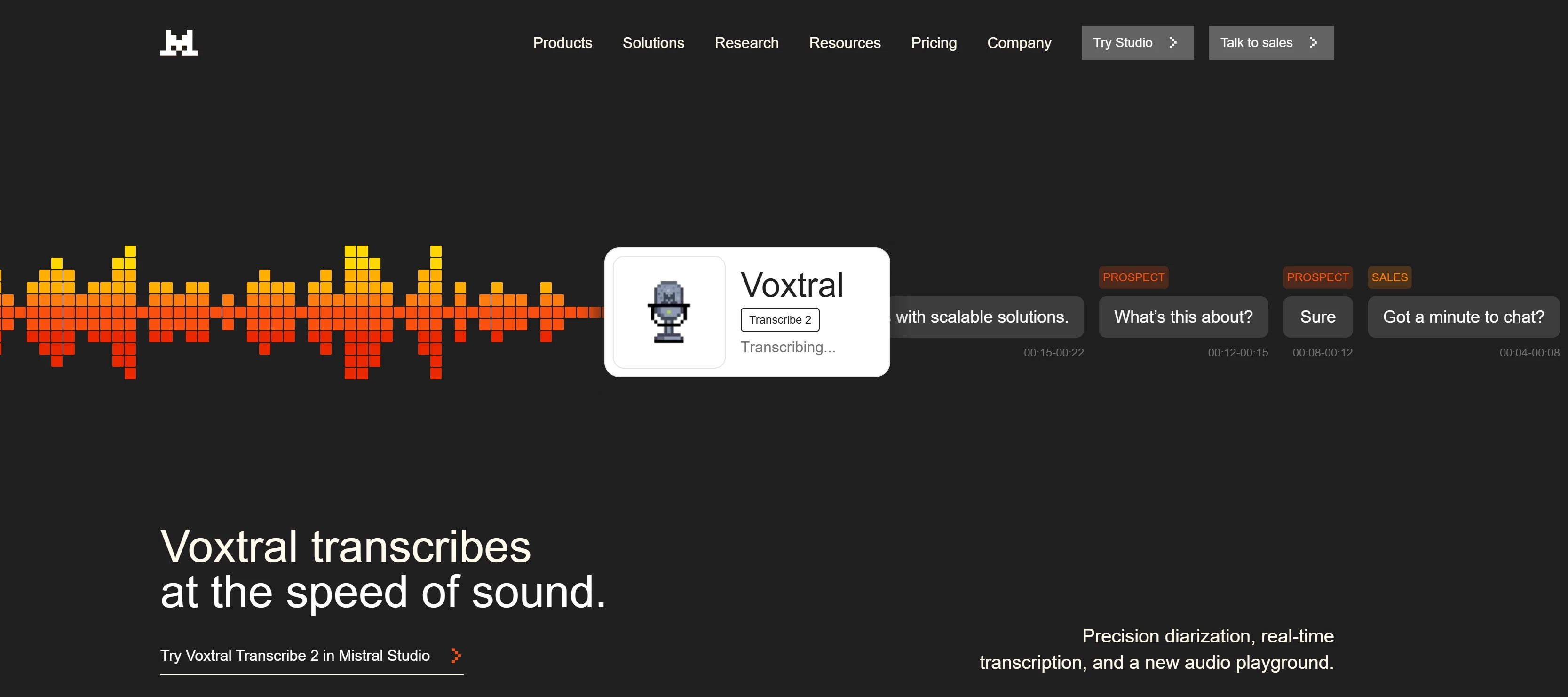
Mistral AI unveiled Voxtral Mini Transcribe V2 and Voxtral Realtime, speech‑to‑text models aimed at enabling near real‑time multilingual transcription and translation with low latency (~200 ms) and support for 13 languages.At ~4 billion parameters, these models are compact enough to run locally on devices like phones and laptops, enhancing privacy and lowering reliance on cloud services. Voxtral Realtime is open‑source under an Apache 2.0 license and designed for live use cases, while Mini Transcribe V2 excels at batch jobs with diarization and timestamps. Mistral positions these tools as cost‑effective, optimized alternatives to larger proprietary systems from major US tech firms, focusing on efficient model design and dataset quality rather than raw scale.The models align with Mistral’s broader strategy to offer regulation‑friendly AI solutions that fill niche and specialist roles in the speech AI space.Top 3 benefits for an AI developer:• Low‑latency, real‑time multilingual transcri
We’re doing exploratory research on how AI teams actually run scaled workloads. Want to contribute? Our team at HP is running a short, self‑guided AI‑moderated interview to better understand how teams approach AI development, model training, and production inference—and where today’s compute setups fall short. We’re especially interested in AI/ML engineers, data scientists, MLOps or platform engineers working with GPUs. If your use cases align, you can also opt in to be considered for future lighthouse collaboration. What to expect: ✅ ~15–20 minutes ✅ No scheduling — complete it anytime Take the interview here: 👉 https://tinyurl.com/hpincai
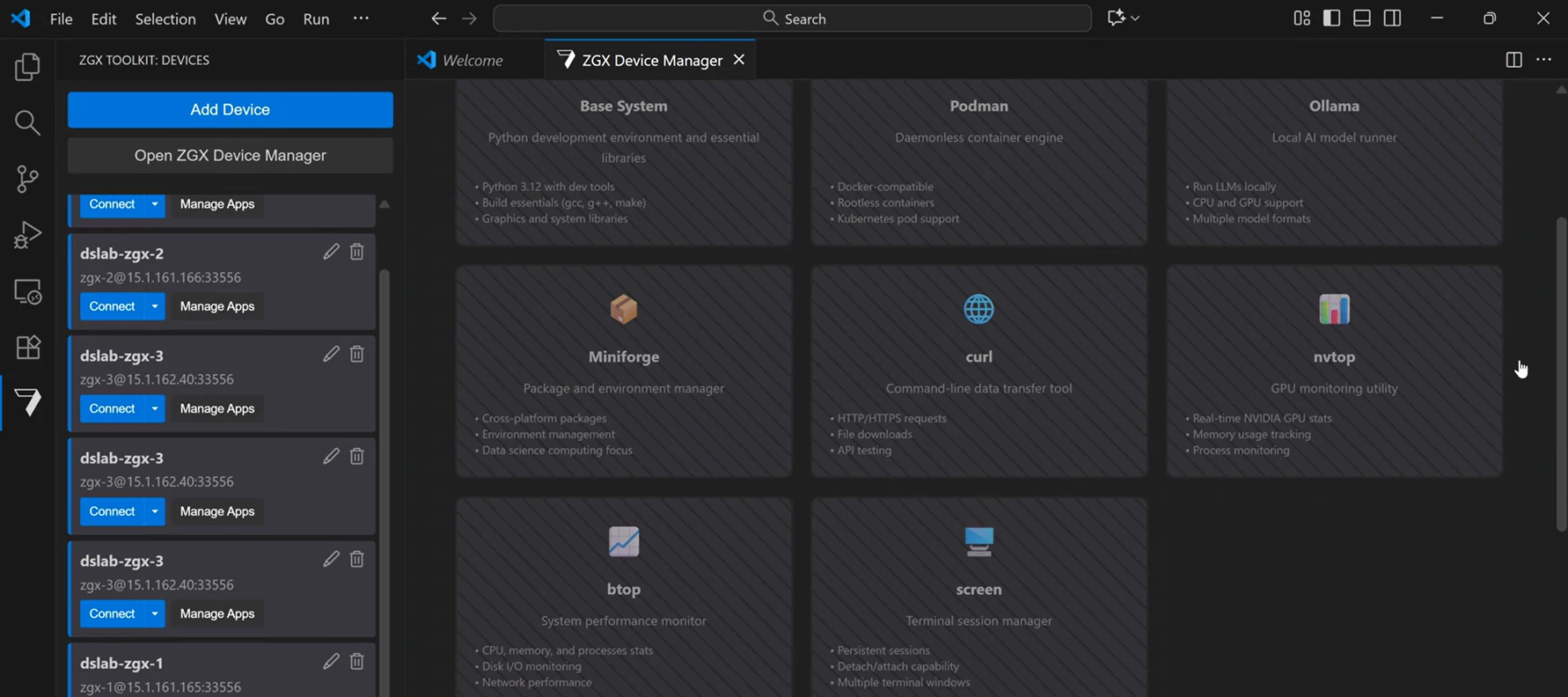
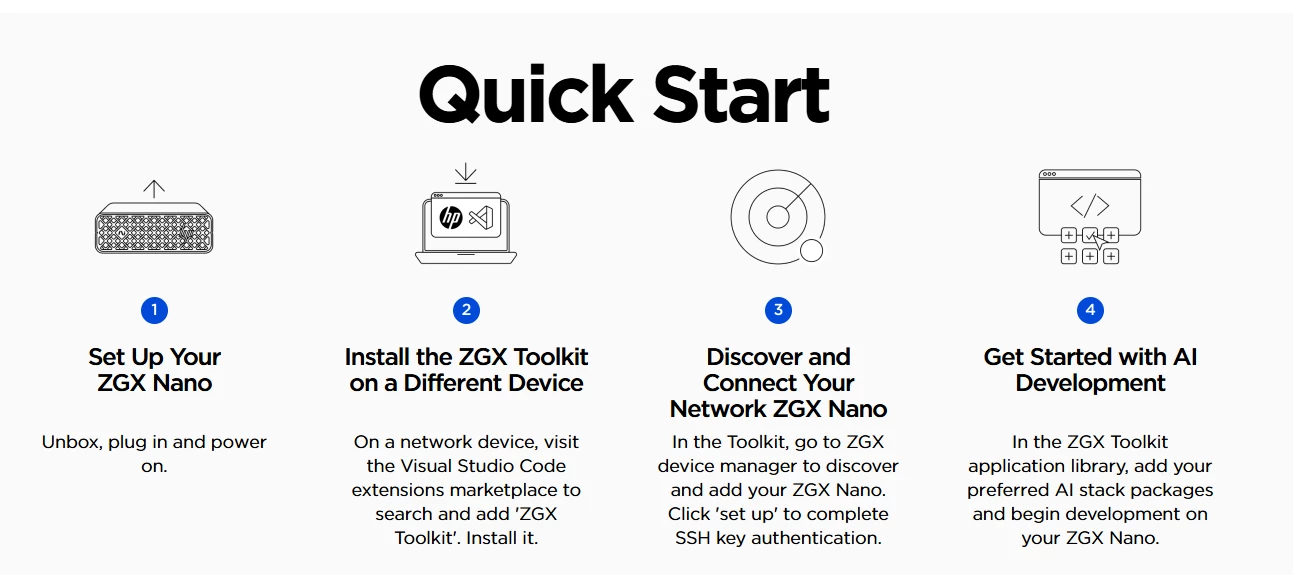
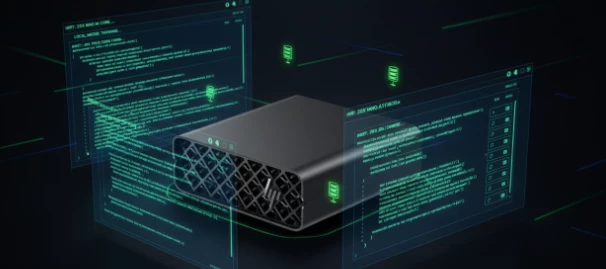
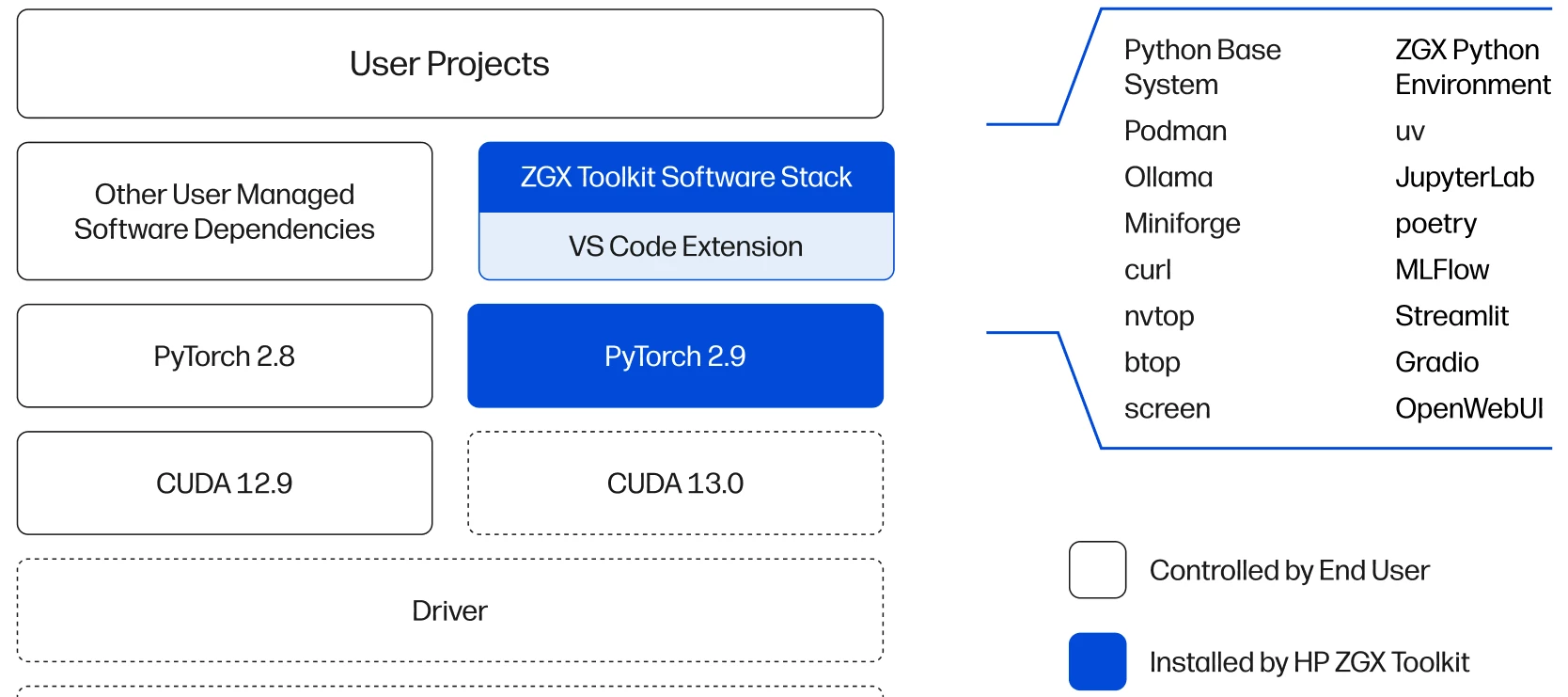
Today HP released the ZGX Toolkit, a VS Code Extension that streamlines AI development workflows on HP ZGX desktop AI supercomputers by providing automated setup of essential open-source AI tools and seamless device discovery on your LAN. Discover, set-up, and start using a ZGX as an AI companion to unlock the compute your workflows need.With the ZGX Toolkit now you can:discover and connect ZGX devices on your network; no manual IP / SSH set-up quickly install popular open source AI packages and apps, including dependencies leverage templates to quickly test prototype and fine-tuning on your ZGX deviceThe toolkit is free and can be installed directly from the VS Code Marketplace. Check out this 1 min video to see how.For more information, visit www.hp.com/zgx-onbard.
I built a maritime surveillance AI for an upcoming HP ZGX Nano demo with the U.S. Navy. It processes reconnaissance imagery in under 5 seconds—fully local. No cloud, no network, no data leaves the device.Federal agencies face a real gap: commercial laptops can’t run strong vision-language models locally, but classified imagery can’t go to cloud APIs. That leaves analysts with either no AI or unusable AI. This demo closes that gap.Upload an aerial image to the demo and the system identifies vessel type, assesses cargo and activity, then produces a structured threat assessment with actionable recommendations.It uses Salesforce’s open-source BLIP-2 VLM for visual understanding and TinyLlama to generate natural-language intelligence reports. Everything runs on an HP ZGX Nano—smaller than a desktop PC, with 128GB unified memory—deployable on ships, mobile command centers, or in disconnected SCIFs.Models are open source. No classified data—only public imagery and synthetic coordinates. Code
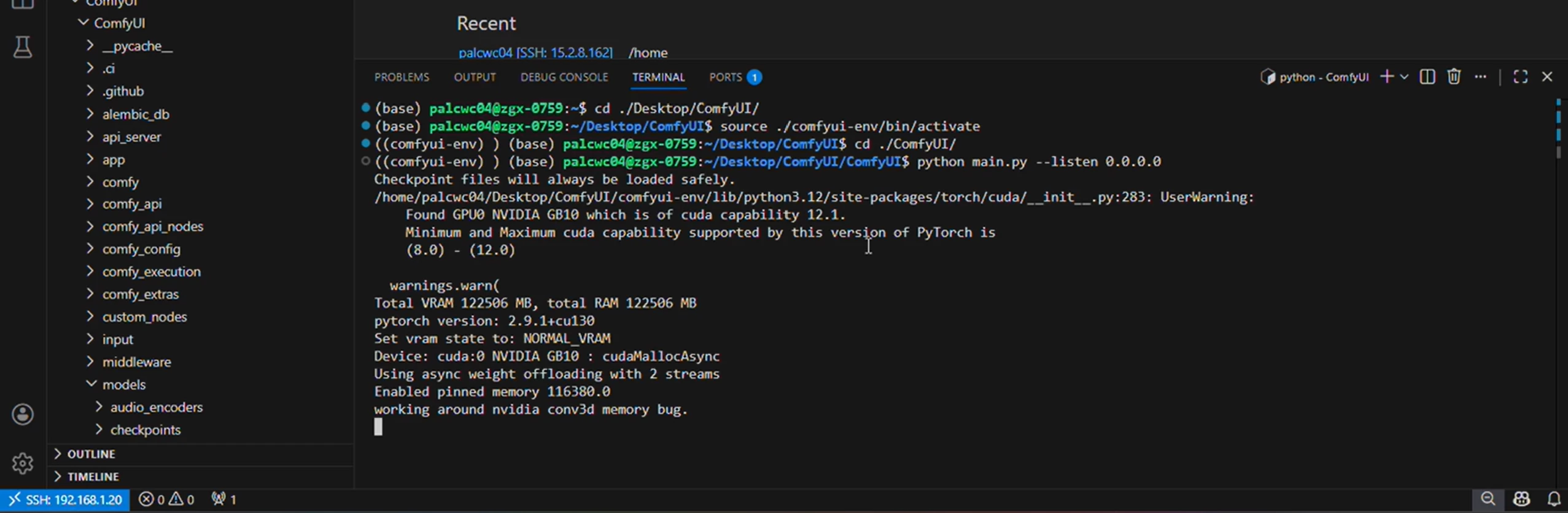
I followed Curtis Burkhalter, Ph.D.’s HP ZGX Toolkit Microsoft VS Code extension playbook posts to link an HP ZGX Nano with NVIDIA Blackwell GB10 GPU to an HP Omnibook 5 with a Qualcomm SnapDragon - instantly unlocking the GPU power I needed.- Paired my laptop with a ZGX Nano companion device- Went from 45 TOPS GPU to a 1,000 TOPS GPU- Installed ComfyUI to use a Hunyuan image → 3D model for inference- Auto-generated STL files- Sent straight to an HP 3D PrinterNo cloud. Just local Edge AI. Connected and seamless.See the 3 min video on LinkedIn
Every IT leader knows the tension: your teams want to move fast on AI. Your security team needs to vet everything. Those two timelines rarely align.We designed the HP ZGX Toolkit VS Code extension as an open source tool to close that gap.✅SSH key-only authentication — no passwords. The extension handles key generation and configuration automatically when setting up the ZGX as a companion compute device.✅ Digitally signed packages via HP Software Security (HPSS), providing verifiable authenticity for compliance reviews.✅ Open-source code available on GitHub for security audits before deployment.The goal: accelerate procurement and security reviews, not slow them down.This is post 3 of 3 on the ZGX Toolkit release and our partnership in building the HP ZGX Nano with NVIDIA.Explore for yourself!HP ZGX Nano: www.hp.com/zgx and HP ZGX Toolkit: www.hp.com/zgx-onboard
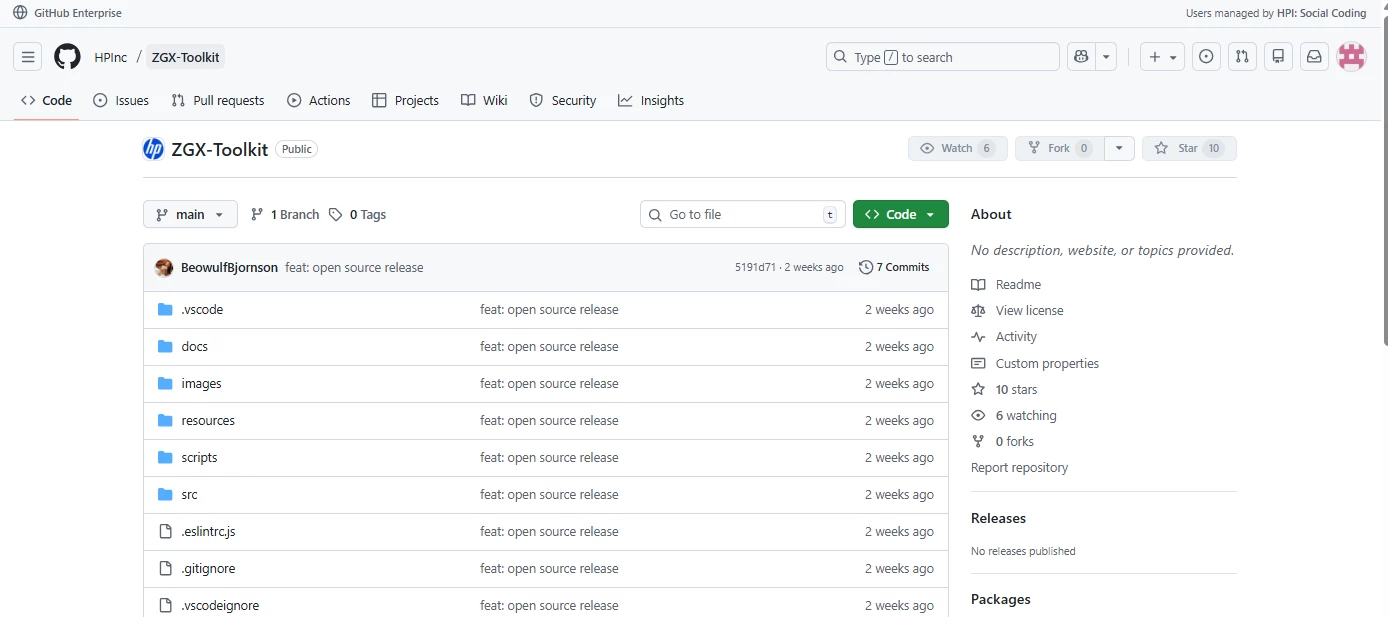
HP might not be the first name you think of in AI. We're here to change that and we're starting by building in the open.The ZGX Nano is built on NVIDIA's reference design — the same foundation Dell Technologies, ASUS, Lenovo, and other OEMs use for their AI workstations. We're not running from that. We're leaning into it.We open-sourced the ZGX toolkit so it's not just for HP hardware. Inspect it. Modify it. Extend it. Run it on whatever hardware fits your environment.The curated tools we automate — MLflow, Podman, Gradio, Streamlit, modern Python tooling — are all open source. Now the automation layer is too.This is how we think AI tooling should work: open, extensible, and not locked to a single vendor.Check out the GitHub repo: https://github.com/HPInc/ZGX-Toolkit This is post 2 of 3 on the ZGX Toolkit release.
Every AI developer knows the feeling: new machine, high-end GPUs, endless setup.You're not training models on day one. You're resolving dependency conflicts. Configuring experiment tracking. Getting your Python tooling sorted. Troubleshooting why three tools that should work together... don't.The hardware was ready. The environment wasn't.Here at HP we heard this over and over in 40+ customer discovery calls as we geared up to build the new HP ZGX Nano in partnership with NVIDIA. Rather than let this opportunity pass us by, we did something about it.With the latest release of the HP ZGX Toolkit, we automate the full developer workflow setup. One-click installation: MLflow, Podman, OpenWebUI, modern Python tooling (uv, poetry, Miniforge), system monitoring, and more. Automatic dependency resolution. Minimal configuration conflicts.From unboxing to running your first model: approximately 30 minutes.Learn more at www.hp.com/zgx-onboard This is post 1 of 3 on the ZGX Toolkit release.
Vincent Caldeira, CTO APAC at Red Hat, experts in making open source accessible, shared an initial review of HP’s ZGX Nano on LinkedIn. The cliff note is that …HP’s ZGX Nano delivers datacenter-grade silicon for local AI development with unified 128GB memory, seamless VS Code onboarding with the ZGX Toolkit, and impressive 20B-model performance—~30 tok/s, high GPU utilization, stable latency—enabling fast, cloud-free iteration for serious AI developers.Check out the full article on LinkedIn
In September, NVIDIA published an article outlining the value of custom SLMs for Agentic AI working on-prem on machines like HP Z workstations.Key Takeaways:1. Economics of Small Agentic Models (SLMs):Small Language Models (under ~10B parameters) can replace generalist LLMs for most agentic tasks. They’re 10–30× cheaper to serve, require fewer GPUs, and can be fine-tuned in hours instead of weeks. This shift lowers operational costs, reduces latency, and improves sustainability—critical as AI agents scale across industries.2. Localization and Democratization:SLMs enable local, domain-specific adaptation—they can be easily fine-tuned to meet regional compliance, cultural norms, or specialized workflows. This encourages on-prem and edge deployment, supporting sovereign data control and fostering diversity by allowing more organizations to build their own tailored agents.3. On-Prem Model Creation and Management:With frameworks like NVIDIA Dynamo and ChatRTX, real-time, offline inference b
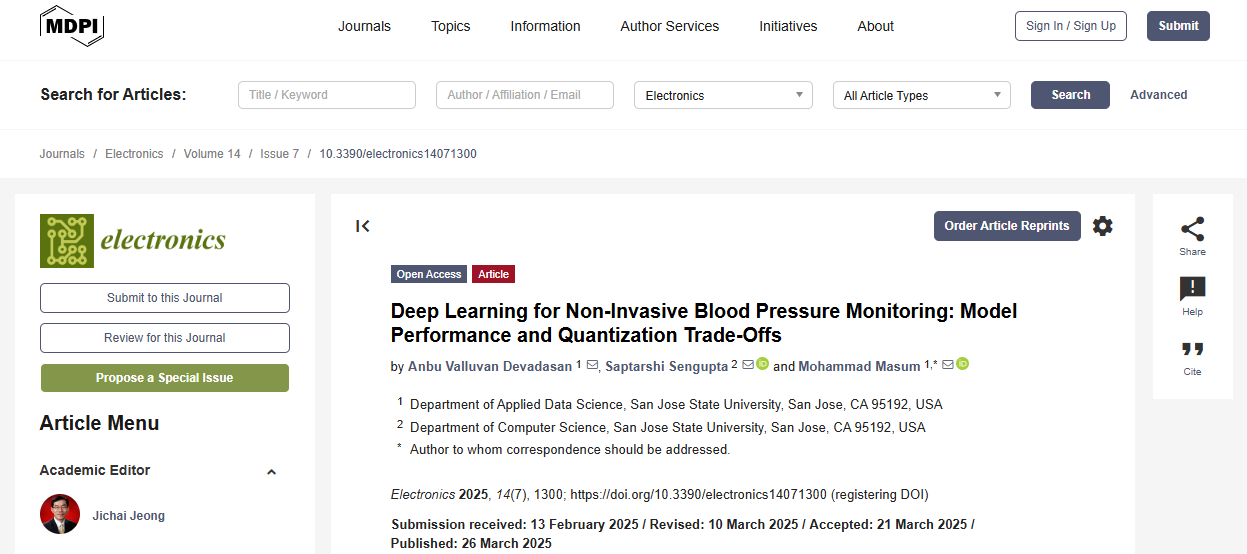
In January I had the pleasure of working with Anbu Valluvan, an HP AI Studio tester, to resolve a GPU limitation issue his team was running into on their personal laptops when Google Colab GPU was not available due to budget constraints or GPU queuing. The team had collected, created data strategies to ingest up and process blood pressure datasets in appropriate sizes to train small models for use with edge devices. However, their access to GPU was limited. To achieve the accuracy requirements for the paper to qualify for peer review and acceptance, Anbu reached out to collaborate on the project using AI Studio because I had access to a NVIDIA GeForce RTX 4070 GPU which allowed him to experiment and prepare the project with multiple iterations when access to NVIDIA A100 GPU was limited.In a couple of minutes Anbu invited me to his AI Studio project, I synced assets and artifacts, and trained the model on my GPU. Because AI Studio saved artifacts, results, and cloned code to Github, Anb
Image generated using Microsoft Copilot In the rapidly evolving landscape of artificial intelligence, Large Language Models (LLMs) have emerged as powerful tools with far-reaching implications. As these models become increasingly integrated into our daily lives, the need for robust safety measures has never been more critical. Enter guardrails - sophisticated algorithms designed to act as digital sentinels, safeguarding the interactions between humans and AI.The Evolution of AI SafetyIn the pre-LLM era, AI safety primarily relied on white box techniques. These methods focused on creating transparent and interpretable models, allowing researchers and developers to understand the internal workings and decision-making processes. However, the advent of LLMs has shifted the paradigm towards more complex, black box systems. This transition has brought about new challenges in ensuring AI safety. The focus has moved from inherent model transparency to post-hoc strategies, notably the implemen
OpenAI released GPT-4o a conversational chat-bot last week.It is integrated into the online chat-bot as well as an API for integration with 3rd party systems. Early findings illustrate it is twice as fast and half the cost, with higher rate limits for better performance. https://vimeo.com/945586717 The multi-group query decoder architecture performs well based on zero-shot prompts, which are plain prompts that do not provide context in the prompt to help the LLM improve its response. The API leverages the existing OpenAI chat completion API, which requires an API key to load and interact with the model. Many additional parameters, such as temperature, can be tuned. from openai import OpenAIOPENAI_API_KEY = "<your-api-key>"client = OpenAI(api_key=OPENAI_API_KEY)response = client.chat.completions.create( model="gpt-4o-2024-05-13", messages=[ {"role": "system", "content": "You are a helpful assistant."}, {"role": "user", "content": "Who won the world series in 2020?"},
An AI summary of a medical study can leave out the comparison group or the length of follow-up. I would check those details in the original paper before sharing the summary.For health research coverage, MedProofs health news is one place to start. It does not replace reading the study. How do you keep source references attached when building a research-summary workflow?
Hello, I have a HP ProDesk 400 G6 MT and I want to upgrade with a RTX 3060 Ti graphic card, it is possible?My power suply is 250 watts. Please help me. Thank you.
I’m using an HP Spectre x360 16 with 32GB RAM and a 1TB SSD for Python development, Jupyter Notebook projects, audio processing, and data analysis. Lately, I’ve noticed that during heavier workloads, the laptop heats up significantly and experiences noticeable performance lag. Browser-based apps, online games, and even lightweight websites sometimes freeze or slow down when the temperature rises.Interestingly, some sites run without any lag at all—for example, the Rice Purity Test for Couples works perfectly even when other apps are struggling.The overheating and lag usually appear when:Running Python libraries or processing large datasets Multitasking with multiple browsers and development tools Using resource-intensive web appsCPU usage spikes quickly, fans get loud, and performance still drops after a while. I’m trying to figure out whether this is mainly due to:Thermal or cooling limitations CPU throttling from heat Aging thermal paste or dust buildup Windows power or performance s
We hear the phrase "AI workflow" thrown around constantly. It sounds incredibly fancy, like something happening in a high-tech lab with glowing blue screens. But if you strip away the buzzwords, an AI workflow isn't magic. It’s just a step-by-step recipe for turning raw data into smart decisions. Whether you are building a massive LLM or just trying to get a model to predict house prices, the core workflow almost always follows the same basic journey. If you're new to the community, here is the plain-English breakdown of how AI actually gets made: 1. The "Data Clean-Up" Phase (Data Prep) Before a chef cooks, they wash and chop the ingredients. AI is no different. Computers can’t learn from messy, missing, or chaotic data. What it actually is: Cleaning up spreadsheets, organizing images, fixing typos, and getting everything into a format the computer can actually read. The reality: Ask any data scientist - this is usually 70% to 80% of the entire job! 2. The "Practice Exam" Phase (M
I am facing overheating and performance lag issues while running data science tasks on my laptop. When using tools like Jupyter Notebook, Python libraries, or large datasets, the system temperature rises quickly and the laptop becomes very slow. Sometimes applications same as web apps like when i play games online like letterboxed it freeze or crash, which interrupts my workflow. I would like to know if this is a hardware limitation, cooling issue, or if there are recommended performance optimization settings for better stability.
I am using an HP ZBook 15 G4 with 48GB RAM and a 512GB NVMe SSD, mainly for Python development, Jupyter Notebook work, and Morse code translation, audio processing projects. Despite the RAM upgrade, the laptop heats up heavily during workloads and sometimes becomes slow or unresponsive. In some cases, browser-based apps or lightweight online games freeze or crash when the temperature rises.The overheating usually starts when running Python libraries, processing larger datasets, or multitasking with browsers and development tools together. CPU usage spikes quickly and the fans become very loud, but performance still drops after some time. Since the storage and RAM are already upgraded, I want to understand whether this is mainly:a thermal/cooling problem, CPU throttling due to heat, aging thermal paste or dust buildup, power/performance configuration in Windows, or simply a hardware limitation of the laptop under sustained workloads.I would also appreciate recommendations for improving
Boyue Du created Symphonia Studio on an HP ZGX Nano (a GPU compute companion device) as part of NVIDIA GTC Hack for Impact. Boyue's project uses AI to let users input popular artists and music genres to recommend classical artists that most similarly pair with the current songs and genres users like. His project one HP's prize!Check out Boyue's open source code for Symphonia-Studio on git.
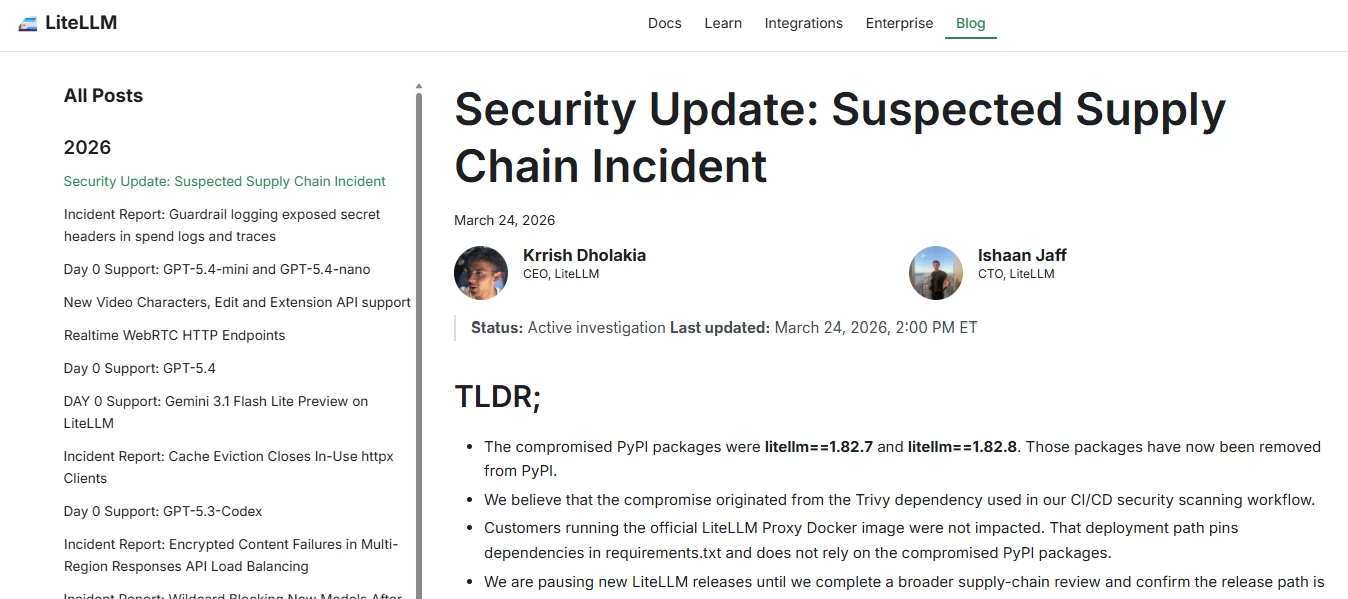
Supply-chain compromise of LiteLLMSupply-chain compromise of LiteLLMAn attacker hijacked maintainer credentials via poisoned CI dependency, published legit-package backdoors with auto-executing infostealer (.pth) exfiltrating cloud, SSH, K8s, and crypto secrets, plus persistence/C2.According to LiteLLM only PyPI versions 1.82.7/1.82.8 had malicious packages, injected via compromised CI (Trivy). Official Docker image (pinned deps) unaffected; releases paused during audit. Malware enabled full credential exfiltration and persistence.LiteLLM’s guidance: Uninstall affected versions (1.82.7/1.82.8) and reinstall a safe version (≤1.82.6) Rotate all credentials (cloud, API keys, SSH, etc.) immediately Audit systems/CI for compromise & persistence (hosts, containers, clusters) Pause/secure release pipelines and review supply chain (CI/CD, dependencies) Prefer pinned/isolated deployments (e.g., Docker with locked deps)
Calling AI / ML practitioners: I’m looking for 15–25 minutes of your perspective (no scheduling). Interested?My team at HP is running a short, self‑guided AI‑moderated interview to better understand how teams approach AI development, experimentation, and production inference, and where today’s compute setups fall short.We aim to learn directly from the AI community to identify real needs and inform the future of our AI products.What to expect:✅ ~15–25 minutes if you’re a fit✅ No scheduling. Complete it anytime✅ Optional opt-in to be considered as a lighthouse account if your use cases alignTake the interview here:🚩 Start the 15-25 minute interview
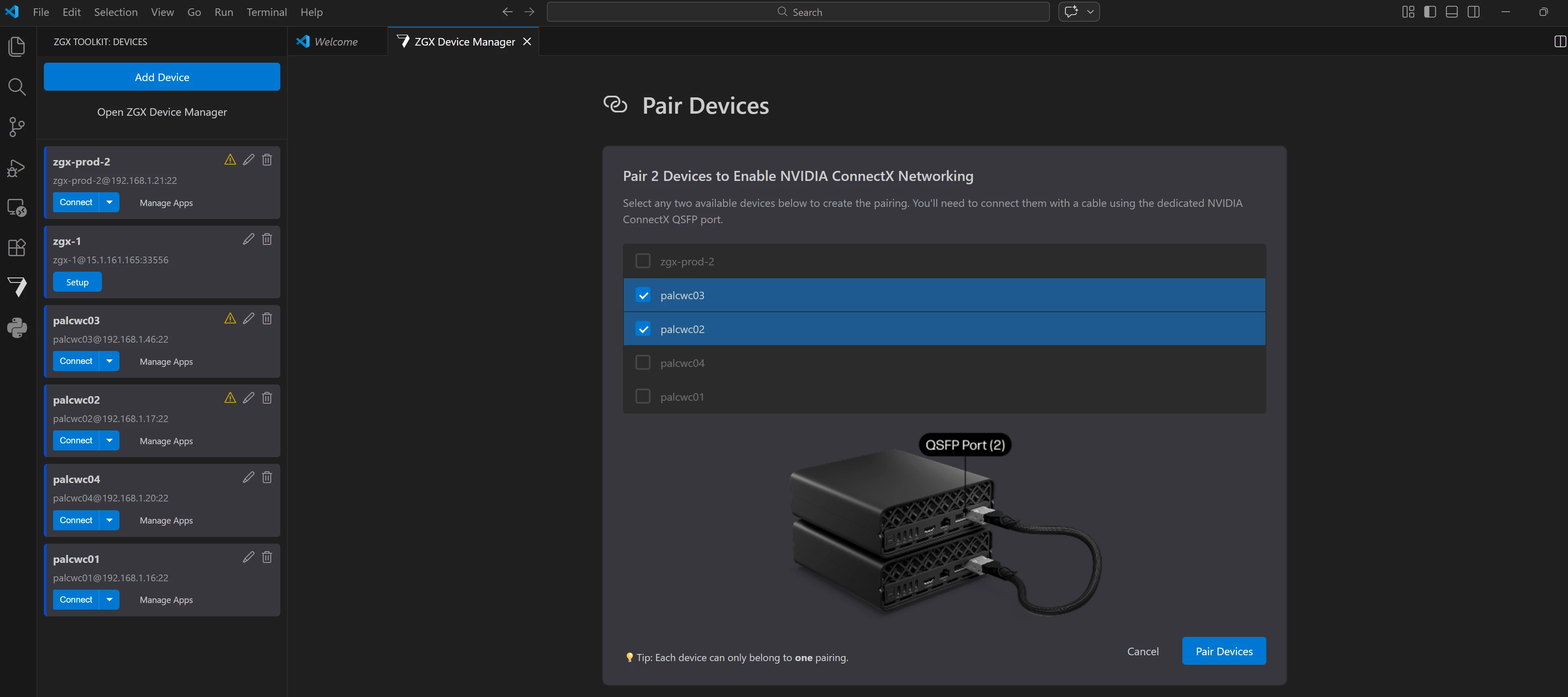
HP released v1.21.1 of the ZGX Toolkit VS Code Extension (AKA: ZTK). What's NewThis release introduces ConnectX device pairing, enabling two ZGX Nano devices to be linked together for highperformance networking over ConnectX NICs—all managed directly from VS Code. The release also includes bug fixes and UX and RAG template improvements. It also delivers UX polish, a more capable RAG sample, and a collection of bug fixes. Major FeaturesConnectX Device PairingYou can now pair two ZGX Nano devices to form a high bandwidth ConnectX network link. Once two devices are physically connected using a QSFP cable, the ZTK extension helps with a clean UI for everything else. The entire pairing workflow—selecting devices, entering credentials, configuring NICs, and monitoring the result—is handled within the extension. What's included:ConnectX NIC Configuration – SSHbased configuration and unconfiguration of ConnectX NICs is wired into the group service, with centralized SSH connection utilities sha
Recent AI news you can use: 1. Chinese AI lab DeepSeek withholds its new flagship model from US chipmakers. (Investing.com)2. Thomson Reuters stock surges after Anthropic praises Co-Counsel legal AI tool. (Bloomberg.com)3. Europe’s Wayve becomes one of the continent’s most valuable AI firms. (Cybernews)4. Google updates Gemini AI across Gmail, Chrome, and learning tools. (blog.google)5. Genesys shifts Enterprise LLMs to LAMs (large action models). (Forbes)6. Advanced robotics and AI research from DeepMind continue expanding capabilities. (Wikipedia)7. India unveils new large language models and multimodal AI at 2026 summit. (Wikipedia) 8. AI reads brain MRIs in seconds to flag emergencies. (ScienceDaily)
Already have an account? Login
Enter your E-mail address. We'll send you an e-mail with instructions to reset your password.









![Maritime Surveillance Intelligence Generator [DEMO; code on Git]](https://uploads-us-west-2.insided.com/hp-en/attachment/b36771ea-810f-4b32-91b7-28662adc2aac_thumb.png "Maritime Surveillance Intelligence Generator [DEMO; code on Git]")